Instrument connections
A gateway is a box on the boat that repeats what the instrument network says over WiFi, so a tablet or a laptop can read it. Almost every gateway sold for a boat serves NMEA 0183 over TCP, and that is the one Lookout reads.
You need none of this to read a chart. A connection is what puts your boat and the traffic around you on it.
Adding a connection
Open the gear (⌘, or Ctrl+,), choose Connections, then Add Connection. The new row opens itself, because it has no address yet.
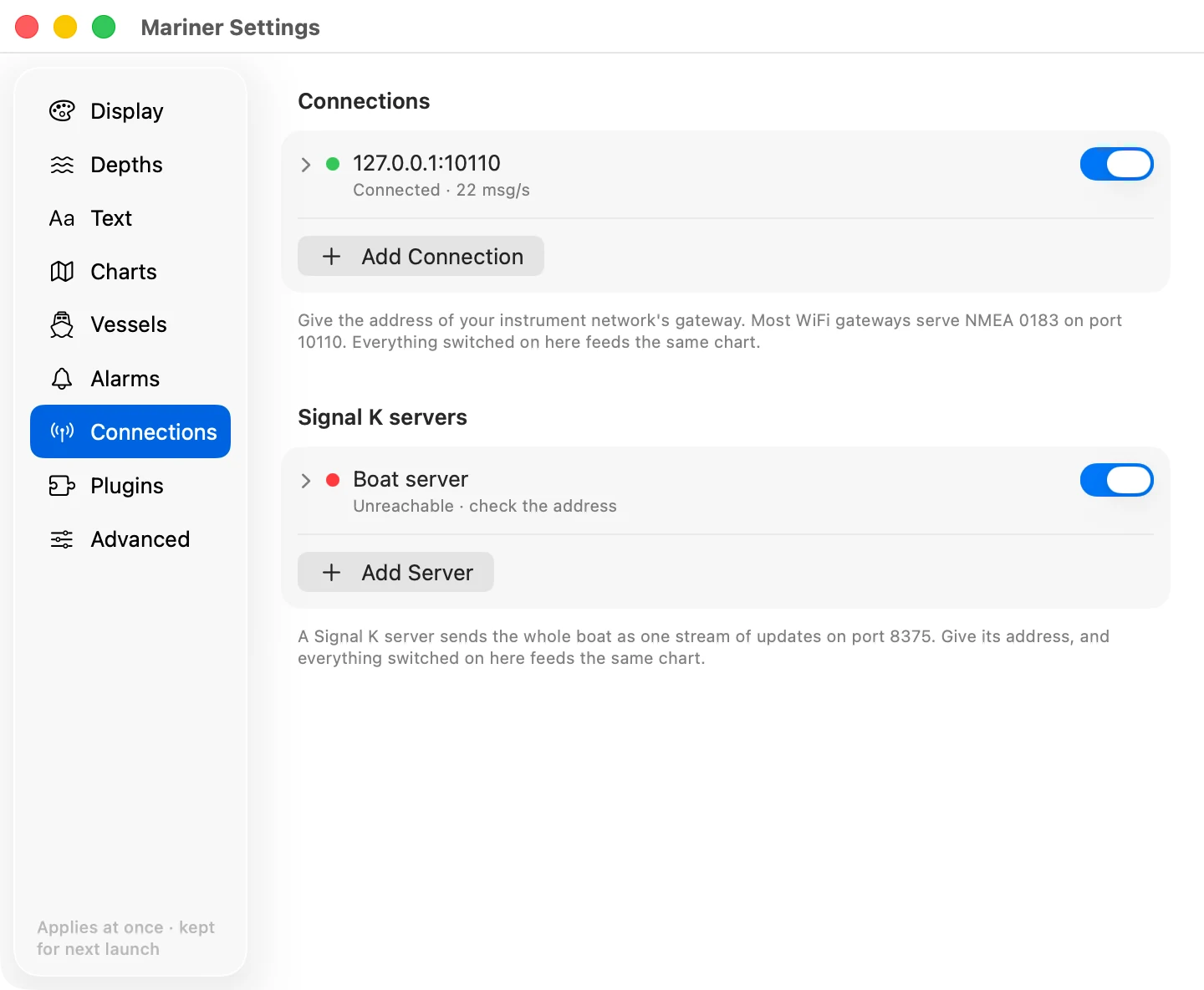
- Name. What you call this source. Leave it empty and the row shows the address instead.
- Address. The gateway's name or IP address on the boat's network, such as
192.168.4.1. - Port. Most gateways serve NMEA 0183 on port 10110. The gateway's manual gives the number it uses.
- On. The switch at the right of the row.
Press Return after you type an address, or click away from the field. The address is sent when you finish, not letter by letter. Lookout dials as soon as there is something to dial. Fold the row away with the chevron; the state stays on the line.
A boat can have more than one gateway: a masthead AIS on one address, a plotter bridging the instruments on another. Add a row for each. Everything switched on feeds the same chart.
Reading what a connection is doing
The line under the name says what that connection is doing now. The dot beside it says the same thing in colour.
| The line reads | What it means |
|---|---|
| Connected, and a rate | The stream is open. The rate counts the complete sentences arriving each second. |
| Reconnecting | The stream dropped, or the first attempt has not answered yet. Lookout tries again every two seconds, for as long as the row is switched on. |
| Unreachable · check the address | Three attempts in a row went unanswered. Nothing is listening at that address and port, or you are on the wrong network. |
| Paused | You switched the row off. |
| No address | The row is empty. Open it and type one. |
A connected row at 0 msg/s means the gateway took the connection and is sending nothing down it. That is a different fault from an unreachable one, and the address is not the thing to check.
Pausing a connection
The switch on the row closes the stream and stops the retries. The row reads Paused and its dot goes grey. Switch it on again and Lookout dials from the start.
The address stays, so switching the row on again needs no typing. To lose the address as well, open the row and press Remove Connection.
Seeing what the connection puts on the chart
With a connection running:
- Your boat draws where the GPS puts it, with a line along its heading and a line along its course. See Your boat on the chart.
- Every vessel the receiver hears draws as a triangle, and every aid to navigation as a diamond. See AIS traffic.
- A true wind direction draws the four laylines.
Depth and speed arrive over the same stream. Nothing on the screen shows either of them yet.
Working out why nothing draws
The row says Unreachable. You are not on the boat's network, the gateway is not powered, or the port is not the one it serves. Check the network first: a phone or a laptop on the same WiFi tells you whether the boat's network is up before you go looking for a typing mistake.
The row says Connected and the chart is empty. The gateway is repeating sentences that draw nothing. A stream of depth and speed alone leaves the chart as it was, because neither of them is drawn anywhere.
The traffic draws and your boat does not. The stream carries AIS but no position. That is the GPS, or a gateway that is not bridging it.
Your boat draws and the traffic does not. The stream carries no AIS. The receiver is a separate instrument from the GPS, and some gateways serve it on a port of its own.